JMG Chatbot
A personal AI assistant project built to understand how modern AI products work beyond just prompting an LLM.
- Role
- Solo Developer
- Year
- 2026
- Type
- AI Assistant
The idea.
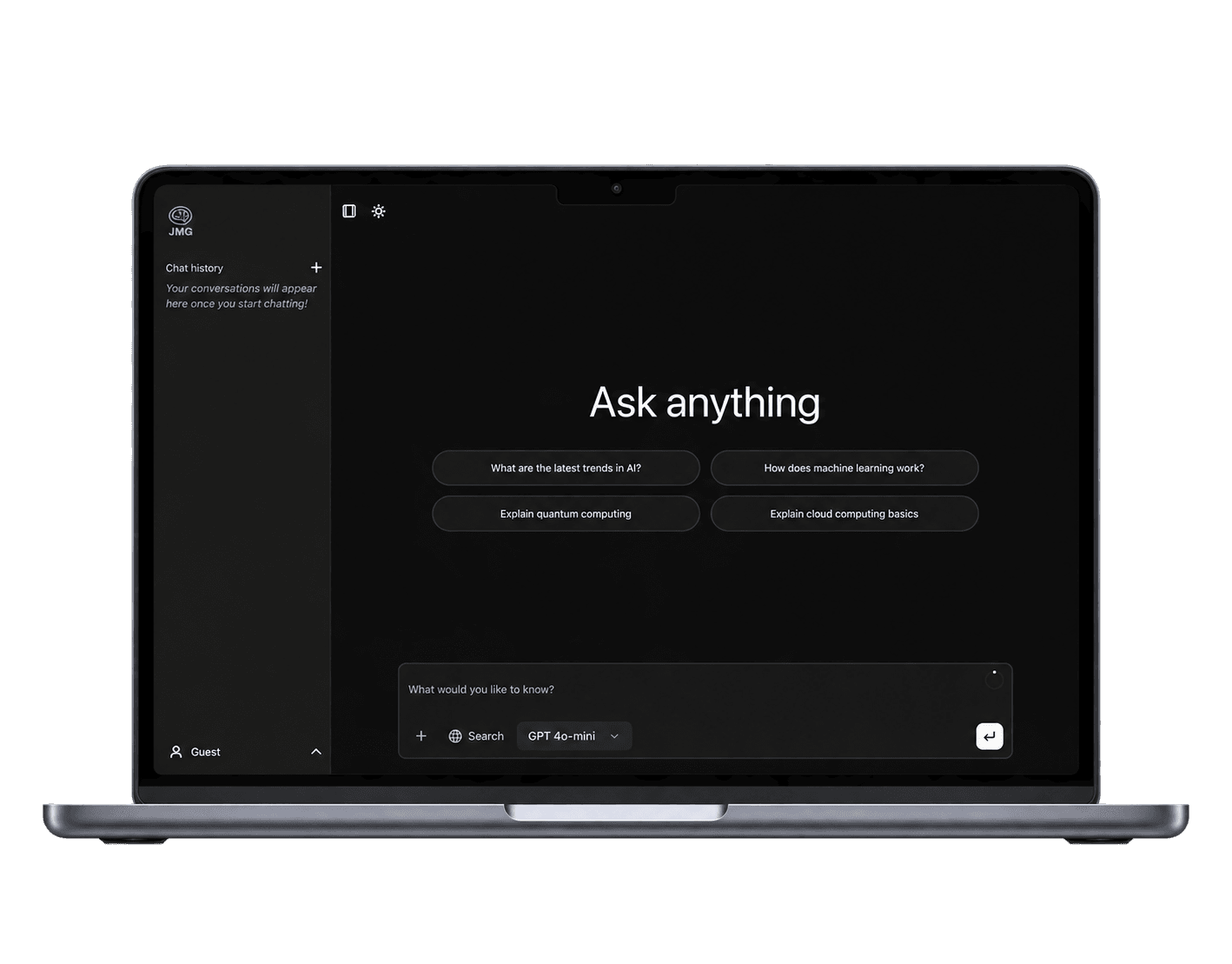
I wanted to understand how an AI assistant works as a product and a system, not just connect an API and call it a day. This project was a way for me to learn and build the full stack, from streaming responses and data persistence, to model providers, tool calling, authentication, usage quotas, and billing.
What I built.
JMG Chatbot is a full-stack AI assistant application with a clean and minimal interface. It supports multiple AI models, web search, weather information, persistent conversations, and a usage-based subscription system.
How a message works.
A simplified look at what happens when you send a message to JMG Chatbot, from your request to the final response, including model selection, authentication, quota checks, tool calling, and persistence.
- 1User messagesubmit form
- 2Validate request
- 3Select provider / model
- 4Authenticateuser or guest
- 5Check token quota
- 6Load or create conversation
- 7Persist user message
- 8Invoke toolsif needed
- 9Stream response
- 10Persist response+ token usage
AI capabilities.
JMG Chatbot supports a range of features that make it a useful and practical assistant.
- Multi-model chat
Switch between OpenAI and Anthropic models.
- Web search
Search the web for up-to-date information with Perplexity.
- Weather tool
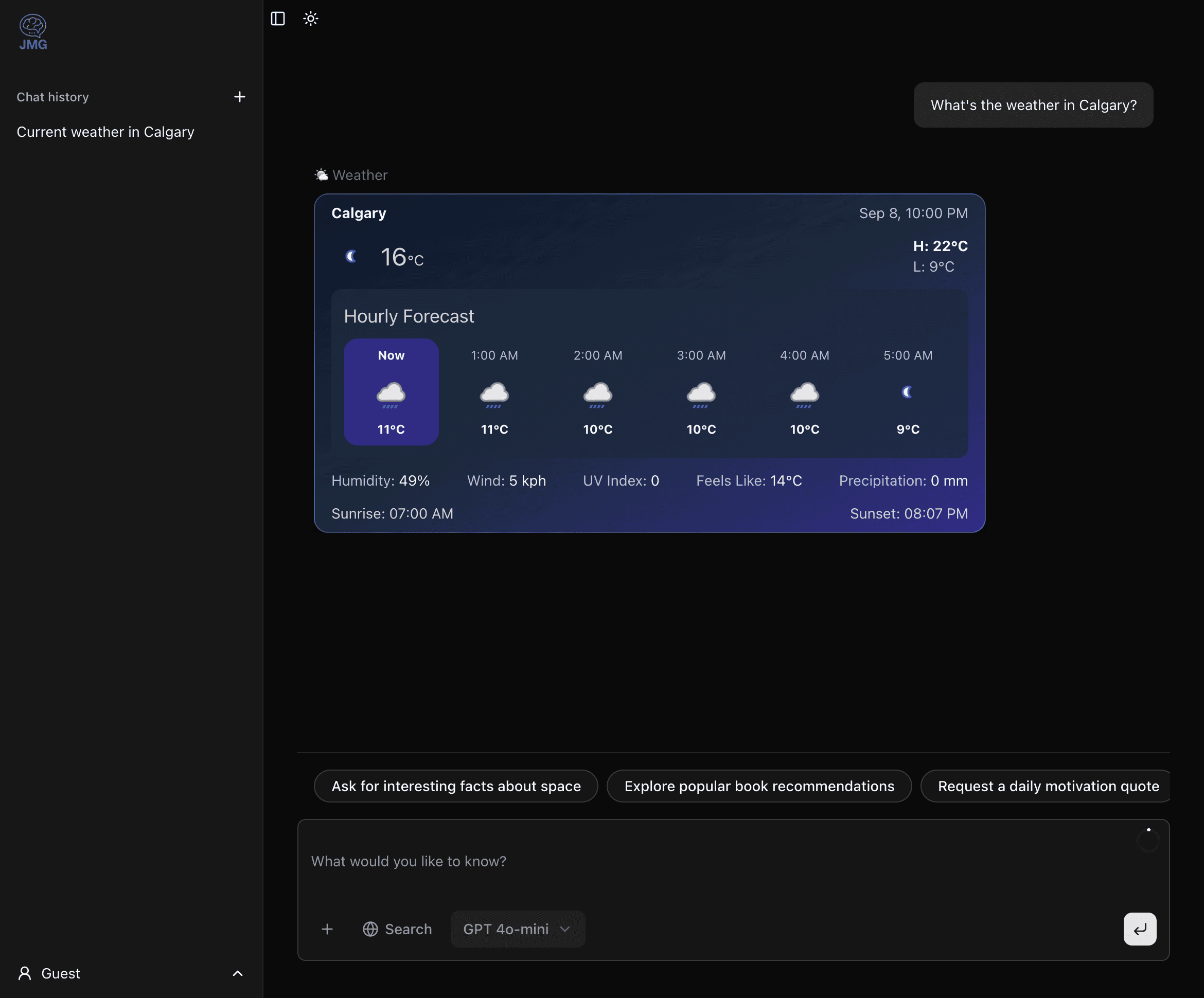
Get real-time weather and forecasts through tool calling.
- Conversation history
Conversations are saved and available across sessions.
- Rename / delete chats
Organize your conversations.
- Streaming responses
See answers in real time as they’re generated.
- Follow-up suggestions
Get suggested next questions.
Tool calling.
JMG Chatbot can use tools to get real-time information. For example, when you ask about the weather, the model decides to call a weather tool, fetches the data, and returns a helpful response with a clean weather card.
Example: weather tool calling flow
- 1User asks“What’s the weather in Calgary?”
- 2Model decides a tool is needed
- 3getWeather()location: “Calgary”
- 4Weather APIreturns data
- 5Structured weather dataJSON
- 6Model generates response
- 7Weather card shown to user
- Calgary−6°CMostly cloudy
Accounts & subscriptions.
Different usage tiers for different needs. Subscriptions are powered by Stripe.
- Guest8,000/ week
Free to get started.
- Basic access
- No account required
- Regular16,000/ week
For regular use.
- Create an account
- Save your conversations
- PremiumMost popular32,000/ week
For power users.
- Higher usage limits
- Save and organize chats
The tech stack.
A modern stack for a modern AI application.
- Next.js 15
- React 19
- TypeScript
- Vercel AI SDK
- OpenAI
- Anthropic
- Perplexity
- NextAuth
- PostgreSQL
- Prisma
- Zod
- Stripe
- Tailwind CSS
- shadcn/ui
What I learned.
Building JMG Chatbot taught me that an AI product is much more than just an LLM call. I learned how tool calling, prompt engineering, response streaming, and other supporting systems work together to turn a language model into a useful, interactive product.
- How to build a complete AI product beyond just prompting an LLM
- Implementing streaming responses for a better user experience
- Designing data models for persistent conversations
- Working with multiple model providers and their differences
- Building tool calling and integrating external APIs
- Authentication, usage limits, and subscription billing
What’s next.
There’s still more to build. Here are a few things I’m planning to work on next.
- Add automated test coverage for core features
- Stronger authorization boundaries for account access
- More accurate per-model usage accounting
- Additional tools and integrations
- A richer user experience with custom instructions and saved presets